2026-04-09Last updated
Administrators can grant secure access to the Synergis™ Appliance Portal
by creating user accounts and assigning logon credentials.
Before you begin
You must be assigned the Administrator role.
What you should know
The Synergis Appliance Portal supports up to 64 users.
Procedure
-
Log on to the Synergis Cloud Link unit as an administrator.
-
Click .
-
At the top right of the User configuration page, click
Add (
 ).
).
-
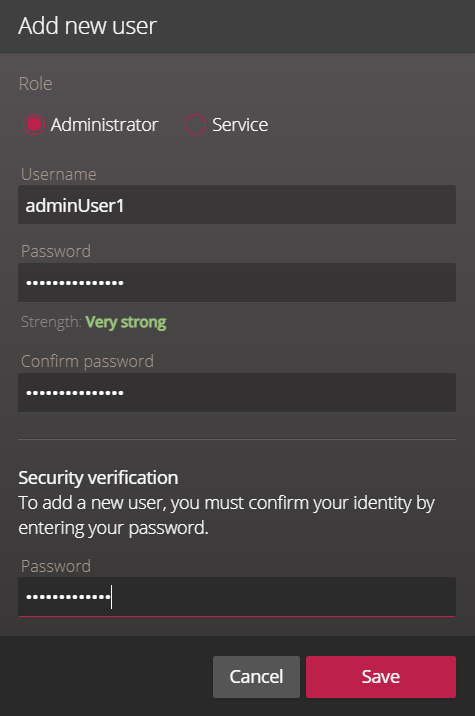
In the Add new user dialog box, select a role for the user.
- Administrator
- The admin account grants full access to configure and manage all system settings
and users.
- Service
- The service account grants basic access for system diagnostics and
troubleshooting. For more information, see About the Synergis Cloud Link diagnostic service account.
-
Enter a username and a strong password, and then confirm the password.
Note: The password must be at least 15 characters
long.
-
In the Security verification section, enter the password you used
to log on.
-
Click Save.